
Attrition Rate Calculator
Attrition Rate:
0%
Informatios Attrition Rate
To know who are the people that are leaving your organisation and the reason, you need to have accurate measures in place. An attrition rate calculator takes raw data regarding departures from employees, and produces reporting that creates useful insights into the workforce to assist human resource practitioners and organisation leaders in making good decisions regarding how to retain, hire and keep their organisations healthy. Knowing your attrition rate will provide a platform for effective talent management no matter whether you operate a small business or a large enterprise.
Employee attrition affects every organisation in its own way. Technology companies generally have sights that experience 20-25% attrition annually while manufacturers tend to see 10-15% attrition annually. The numbers alone do not tell the entire story as context is also very important. A good attrition rate calculator should not only calculate numbers, but also provide insight as to when employees leave the organisation, what departments are struggling with the most turnover and how your organisation statistically compares to other organisations in your business sector.
What is an Attrition Rate Calculator?
An attrition rate calculator is used to analyze how many employees leave an organization or that typically leave at a given point in time. Rather than simply tracking total employee count, the attrition rate calculator allows for a greater understanding of the stability of your organization and the overall health of the employee workforce. You can think of an attrition rate calculator as a diagnostic tool to help you see where problems may exist within your organization regarding employee retention.
HR professionals will use an attrition rare calculator to be proactive in identifying potential issues before they escalate into major crises by using the information from an employee’s separation from the company to develop an accurate percentage. By converting resignation and termination data into percentage amounts, HR professionals can then utilize those numbers to make comparisons and determine the organization’s overall direction.
Attrition rate calculator tools vary widely in complexity and methodology, ranging from basic spreadsheets to more complex tools that incorporate predictive capabilities. Basic type attrition rate calculators are generally only capable of calculating monthly or annually total attrition rates and do not provide detailed information about specific departments or seasonal trends. On the other hand, some more advanced types of HR tools have the ability to use machine-learning algorithms to analyze employee data and predict the likelihood of future employee turnover based on previous data and the current data characteristics of the individual employee.
Consistency produces valid data. By using the same method during various time frames, it is easier to identify real trends (for example, are summertime having higher employee attrition rates than other seasons?). Is the new benefits plan decreasing employee turnover? A solid method for measuring employee attrition will enable you to make decisions based on data instead of guessing.
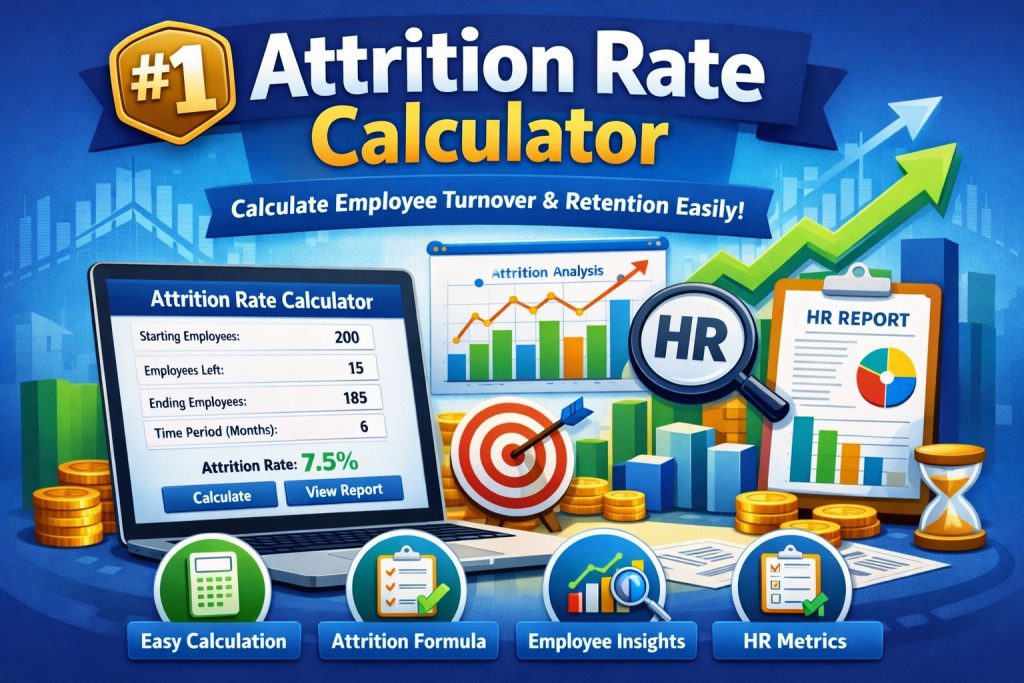
How Does an Attrition Rate Calculator Work?
To determine the attrition rate calculator of a workforce, organisations compare their size at a particular point in time before measuring how many employees have left through the attrition rate calculator. By taking the number of employees who had left the organisation (the starting count), you can attrition rate calculator the percentage using those numbers over three time periods – the beginning and end of the measurement period and the total number of employees who left during that time period.
You determine your measurement period first monthly, quarterly or annually. Then you get three key numbers from the attrition rate calculator employees at the beginning of the measurement period, employees at the end of the measurement period, and total number of employees who left during the measurement period. Some HR metrics calculators also track new hires separately to show gross (all exits) and net (all exits minus new hires) attrition.
More advanced attrition rate calculators can also calculate an employee’s departure based on when they left; did they leave on day two or day 28? If you are looking at attrition rate on a monthly basis, the timing of one employee’s leaving can have a substantial effect on your total.
Many of the best turnover attrition rate calculator systems integrate through a direct link to the HRIS so that as soon as an employee terminates there is no need to enter any data manually; meaning fewer manual entry errors and a more rapid and accurate view of the trends of attrition. This visibility allows organisations to act quickly when problems arise.
Attrition Rate Formula
The standard attrition rate formula is straightforward:
Attrition Rate = (Number of Employees Who Left / Average Number of Employees) × 100
Breaking this down:
1. Number of Employees Who Left: All departures during your measurement period, including resignations, retirements, and terminations
2. Average Number of Employees: Starting headcount plus ending headcount, divided by two
3. Multiply by 100: Converts the decimal to a percentage
Some organizations prefer using beginning headcount instead of average:
Attrition Rate = (Number of Departures / Employees at Period Start) × 100
Employee Attrition Percentage will be calculated differently for companies growing at different rates. For example, if you start with 100 employees, bring on 50 new and lose 20 current, the average (125) will give you an attrition rate of 16% . However using the employee count to calculate your attrition based on your starting employee count (100) will give you an attrition rate of 20% which is a better gauge for measuring the impact of departures within your base workforce.
The complexity of the formula used to employee attrition rate calculator can vary widely based upon industry & related sectors.
For example, in call centers attrition can be calculated by separating voluntary from involuntary departures due to significant differences in the training costs; in healthcare between physician (much higher) & non-physician (typically lower) turnover that results in the need for weighted formulas representing replacement costs rather than raw number of heads for expatriated employees.
The standard attrition rate formula is straightforward:
Attrition Rate = (Number of Employees Who Left / Average Number of Employees) × 100
Breaking this down:
1. Number of Employees Who Left: All departures during your measurement period, including resignations, retirements, and terminations
2. Average Number of Employees: Starting headcount plus ending headcount, divided by two
3. Multiply by 100: Converts the decimal to a percentage
Some organizations prefer using beginning headcount instead of average:
Attrition Rate = (Number of Departures / Employees at Period Start) × 100
Employee attrition rate calculator Percentage will be calculated differently for companies growing at different rates. For example, if you start with 100 employees, bring on 50 new and lose 20 current, the average (125) will give you an attrition rate of 16% . However using the employee count to calculate your attrition based on your starting employee count (100) will give you an attrition rate of 20% which is a better gauge for measuring the impact of departures within your base workforce.
The complexity of the formula used to calculate employee attrition rates can vary widely based upon industry & related sectors.
For example, in call centers attrition can be calculated by separating voluntary from involuntary departures due to significant differences in the training costs; in healthcare between physician (much higher) & non-physician (typically lower) turnover that results in the need for weighted formulas representing replacement costs rather than raw number of heads for expatriated employees.
Step-by-Step Attrition Calculation Example
Let’s work through a practical example. Imagine you’re managing a marketing agency tracking employee churn rate for the first quarter of 2026.
Starting scenario:
a. January 1: 80 employees
b. March 31: 78 employees
c. Departures during Q1: 6 employees
d. New hires during Q1: 4 employees
Step 1: Calculate your average workforce
Average = (Starting + Ending) / 2
Average = (80 + 78) / 2 = 79 employees
Step 2: Apply the attrition rate formula
Attrition Rate = (Departures / Average Workforce) × 100
Attrition Rate = (6 / 79) × 100 = 7.59%
Step 3: Interpret the results
Your quarterly attrition rate is 7.59%, which annualizes to roughly 30% if the trend continues. For marketing agencies where industry benchmarks typically run 18-22% annually, this signals a retention concern worth investigating.
Now let’s examine a monthly calculation for the same company tracking just January:
Monthly scenario:
a. January 1: 80 employees
b. January 31: 79 employees
c. Departures in January: 2 employees
d. New hires in January: 1 employee
Monthly calculation:
Average = (80 + 79) / 2 = 79.5 employees
Monthly Attrition = (2 / 79.5) × 100 = 2.52%
To project this as an annual rate:
Annual Projection = 2.52% × 12 = 30.2%
This consistency between monthly and quarterly trends suggests your attrition isn’t seasonal but represents a persistent pattern requiring strategic intervention rather than temporary fluctuations.
Variables Explained in Attrition Rate Calculator
The attribution rate calculator is determined based on what constitutes an employee leaving over a specified time frame (measurement period).
Departures refers to all employees that have left the organisation for any reason during the designated time frame. It includes voluntary resignations, retirements, end of contracts as well as company initiated reasons (dismissals). Certain attrition analysis providers split the analysis into two categories. An example of this is the distinction between voluntary and involuntary. Voluntary turnover indicates employee retention issues (ie, employees choosing to leave), while involuntary turnover often indicates performance issues (ie, employees being dismissed) or restructuring.
The starting employee count is your benchmark employee count at the beginning of the measurement time frame. The employee count should only reflect active employees, and should not include contracted employees, interns or temporary employees unless the purpose of your analysis is to measure the attrition rate calculator of each employee type. Having an accurate starting employee count will anchor the total calculation because it is the basis for all percentage calculations.
The ending employee count is the headcount of all active employees at the measurement period’s end. The difference between the starting employee count and the ending employee count (after adjusting for the number of new employees hired), will provide insight as to whether the business increased, maintained or decreased the size of its workforce during the measurement period, along with an understanding of the impact of attrition.
Average Count of Number of Employees will take your EDD date, add the Terminated Dates, divided by two. Makes sense with a more stable organisation, but will skew the actual number of employees that are still there over a very high level.
Determine the Period of Time you intend to measure your Workforce Attrition Rate calculator against. Monthly period data can provide you with a faster response to making tactical adjustments. Quarterly period data will smooth out monthly data and provide you with a shorter response time to performance trends. Annual period data will provide you with the fewest opportunities to adjust to attrition and provide you with a longer-term view of attrition. Most of the better workforce analytics data platforms provide you with the ability to change period views, so you can compare the current month to the previous month and also the current annual rate to the average of the last several years.
Interpreting Your Attrition Rate Calculator Results
When evaluating attrition statistics, the numbers can be deceptive depending on the context. To interpret what those numbers reveal, you need to have industry experience, historical data, and develop a strategy for your business.
Benchmarking against industry standards will help you put the numbers in perspective. A 12% attrition rate calculator for one company may be a positive or negative number depending on the type of business it is in. For example, consulting firms may typically have an annual attrition rate of 20-30% because of their business model as associates move from consulting into industry jobs. But a 12% rate for a government agency could signal problems, as government entities usually have lower average attrition rates of 5-8%. You must compare your attrition rate to other similar organizations, not just average rates across all industries.
What constitutes a “good” turnover rate depends on your business environment but is generally below 10%. A company with single-digit annual turnover has a strong retention rate. Most industries can live with an attrition rate of 10-15%. If a company’s turnover rate is between 15%-20%, they should review and manage the situation. Any organization with more than 20% turnover usually has retention problems. However, organizations in industries that typically have high turnover such as hospitality or retail may not experience the same concern.
On the other hand, very low turnover rates do not always mean that your company has an optimal retention strategy. If your business has an attrition rate below 5%, you may not be managing performance effectively, or your company may be stagnant. Turnover provides your company with an opportunity for new ideas and to reduce stagnation. Achieving zero turnover is not the goal; rather, the goal is to have a balance between stability and the need for new talent through turnover.
Differential Attrition is very important. If your sales have 25% attrition and operations have an 8% attrition, there’s a problem. But further analysis will tell you whether you’re losing top or bottom performers in the sales department. A good attrition analysis will collect performance level data and segregate by performance level so you can tell if you’re getting rid of underperformers or losing good people.
Timing Patterns will reveal cause and effect relationships. The timing of someone’s departure can help you to identify possible causes for their departure. If many of your employees are departing in March, typically near bonus payout time, this could indicate that your retention incentives are ineffective. If many of your employees are leaving at the time when the summer hiring season is ramping up, this could indicate that there is an abundance of similar alternate employment available. By combining exit interview data with the timing of employee attrition rate calculator allows you to understand causation and develop a plan for addressing these issues effectively.
Using Attrition Rate Calculators for Strategic Planning
Measuring attrition rate calculator for its own sake is a waste of time. The real value in attrition data comes from using that information to make decisions about your workforce.
If Workforce Planning and Budgeting utilizes accurate attrition forecasts, then if you are losing 15% of your workforce every year, your recruiting budget must be sufficient to replace the employees who left and cover any growth targets. However, if you have a forecasting model that predicts 18% attrition this year, you will need to budget for additional recruiting, training, and onboarding resources to compensate for the increased attrition.
You can use historical data to identify Retention Risks. Predictive attrition models can help identify employee flight risks before they actually resign. By combining attrition data with engagement surveys, employee tenure milestones, and compensation data, you can calculate risk scores for your employees. For example, if you are analyzing data and determining that an employee in their 18th month of service who is making below market compensation and has low engagement scores has a 60% probability of leaving within the next 12 months, you will be able to take proactive measures to retain that employee.
Attrition data support Validation of Compensation Strategy. If there was an decrease in your attrition rate from 22% to 14% because of the Market-Rate Adjustments, you can quantify the Return-on-Investment of your compensation investment. On the other hand, if there is very low attrition despite below market pay, it indicates that Employees have placed a significant value on some other areas of Employment flexibility, culture, mission at which point you should allocate your retention Dollars for the greatest Effectiveness.
Frequently Asked Questions
What is the difference between attrition rate and turnover rate?
The attrition rate calculator measures how many jobs are vacant when people leave and demonstrates how a company is reducing its workforce through either workforce contractions or intentional downsizing. On the other hand, turnover indicates all departures and tells you about the fluidity of a company’s workforce. As a result, there may be 15% turnover if a company has many people leaving, while there may be 5% attrition if the company replaces the majority of people who leave. Companies seeking to reduce costs by reducing headcount will look at attrition rates, while companies that continue to be successful in replacing employees will measure overall turnover rates.
How do you calculate monthly attrition rate?
Calculate monthly attrition rate calculator by taking employees who left during the month, dividing by the average employee count (beginning plus ending headcount divided by two), and multiplying by 100 for percentage. For example, if you started November with 200 employees, ended with 195, and 8 people left: 8 / ((200 + 195) / 2) = 8 / 197.5 = 4.05% monthly attrition. To annualize for comparison with yearly targets, multiply by 12, though this assumes consistent patterns.
What industries have the highest employee attrition rates?
Hospitality and food service have the highest attrition rates, with many companies experiencing over 70% annual attrition due to the nature of seasonal work and low pay at the entry level. Retail follows with a range of 60%-70%. Call center annual attrition is 30%-45%. Technology companies have annual attrition rates of 20%-30% as employees switch jobs on occasion. Conversely, both the government and education have the lowest annual attrition rates, between 5% and 10%, because of pension systems. In addition, manufacturing companies have an annual attrition rate between 10% and 15%, while financial services companies annual attrition of 15% to 20% annually. In general, it is important to compare attrition rates within specific industries; for example, turnover rates that indicate a crisis in the manufacturing industry would not be unusual for the retail industry.
Is high attrition always bad for a company?
High attrition rate calculator is not always viewed negatively. In many companies, a strategic attrition strategy helps companies right-size their workforce without the need for layoffs, as well as lower operating costs while keeping morale up. There are also many cases where turnover can create a fresh perspective on how to do things, offer the opportunity to upgrade talent, and bring in new and interesting ideas. The concern with attrition occurs when top-performing employees leave, and there are an abundance of critical skill sets that will leave with them, thereby negatively impacting the overall operations. Whether or not attrition rate calculator is a concern will depend on the context of the company’s workforce; for example, when a technology startup experiences 25% attrition, that may be considered completely normal, but if a utility experiences 12% attrition, that could be considered a crisis. Typically, the optimal level of attrition for a business will allow the firm to maintain stability with new people coming in, with the standard for most sectors anywhere between 10% – 15%.
What data do you need to accurately calculate attrition rate?
Accurate attrition rate calculation requires four core data points: starting period headcount, ending period headcount, total departures during the period, and the specific timeframe being measured. Enhanced analysis adds voluntary versus involuntary separation data, new hire counts for net workforce change, department segmentation for targeted insights, and departure dates for pattern analysis. Most organizations pull this from HR information systems where employee status changes trigger automatic updates, ensuring consistency and eliminating manual errors.